
Create a quote
Select a customer and contact, add your product, and review the draft total.
- Who can do this
- Sales Representative
- Before you start
- Sales is enabled. Have a customer, linked contact, and sellable catalog item ready.
Steps
Cirrofy calls a quote a Proposal. Sam Ortiz, Bluepeak’s Sales Representative, prepares this one.
- In Operations, open Sales → Proposals → New Proposal.
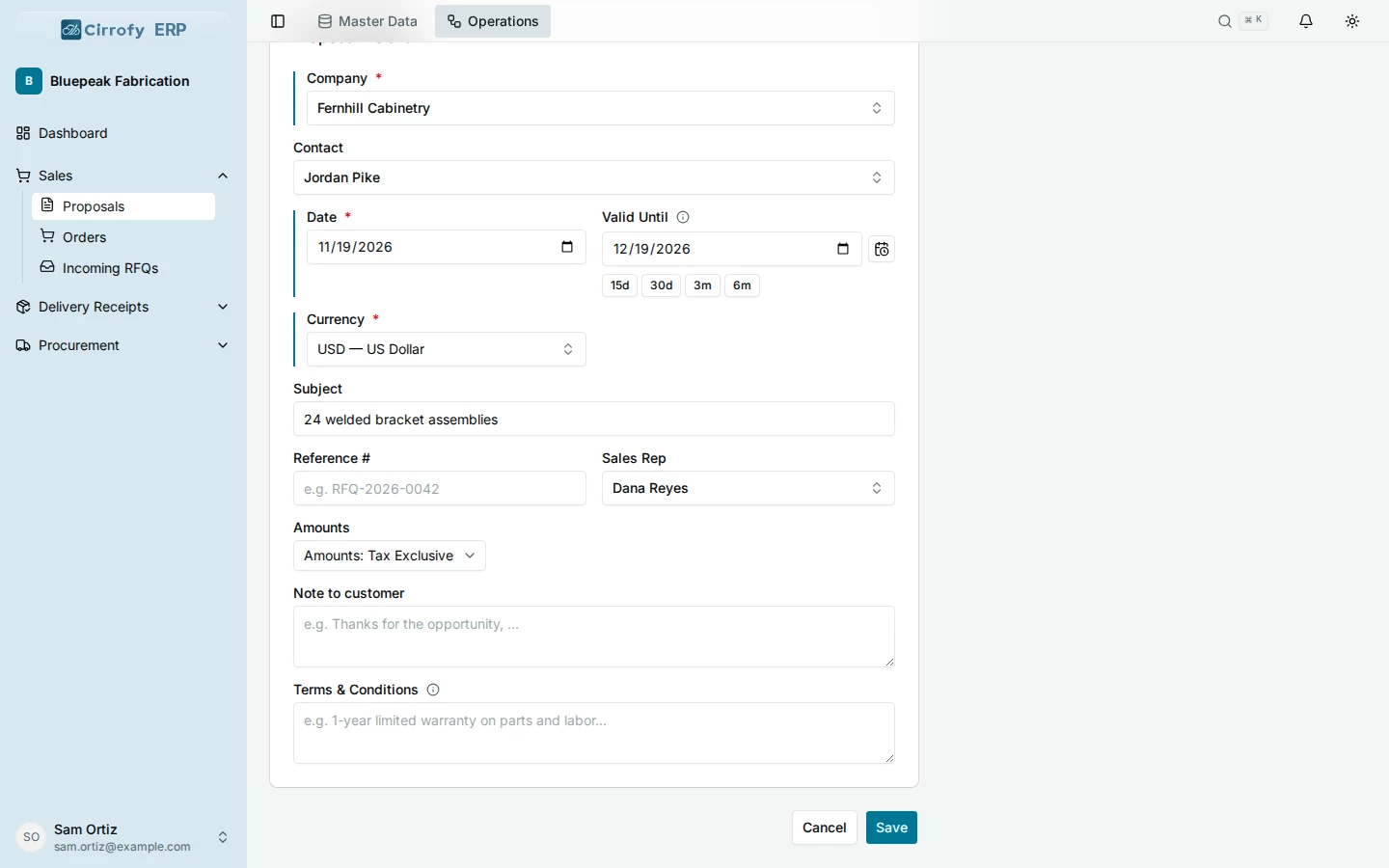
- Select Fernhill Cabinetry in Company and Jordan Pike in Contact. Check the date and currency. Set Valid Until if your pricing has an expiry date. If your team tracks sales assignments, review Sales Rep.
- Select Save to open the draft.
- In Line Items, select Welded bracket assembly. Set the quantity to 24, verify the Unit Price of 86 USD and check the tax and any discount. Select the + button to add the line.
- Check that the line appears above the entry row. Before tax and discounts, the subtotal for this example is USD 2,064.
- Share the draft reference with the administrator who will review and send it.
What you’ll see
A draft proposal is ready for an administrator to validate.