
Add your first customer
Create a partner company and make it available to the sales team.
- Who can do this
- Workspace administrator or Sales Representative
- Before you start
- Partners is enabled and your role can create companies.
Steps
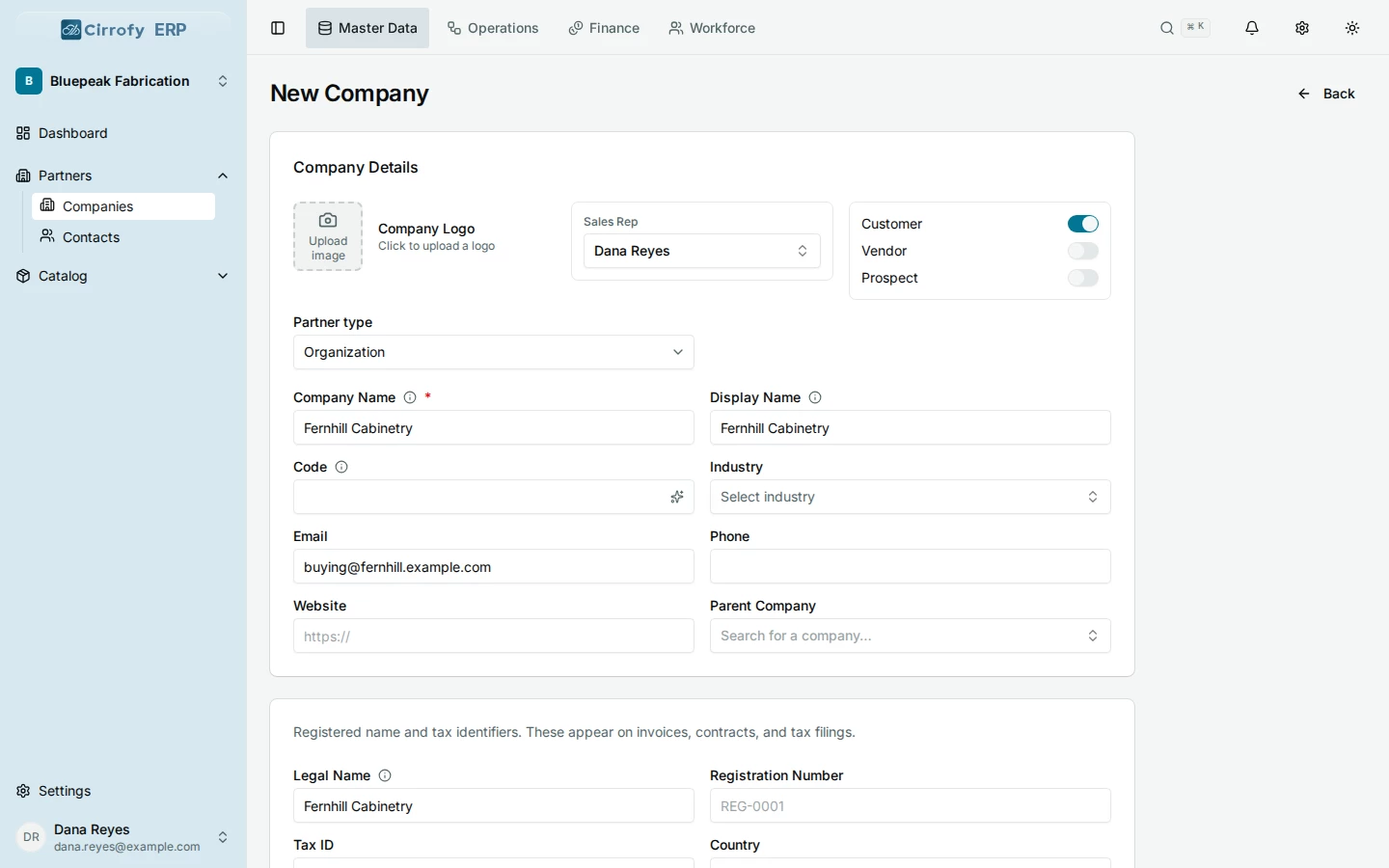
- In Master Data, open Partners → Companies → New Company.
- Choose Organization as the Partner type and enter Fernhill Cabinetry as the Company Name.
- Enable Customer. Use Prospect for a company you’re still pursuing. For this walkthrough, Fernhill is a customer. Vendor is for companies you buy from, and a company can be both a customer and a vendor.
- Optionally add a company email. The walkthrough uses
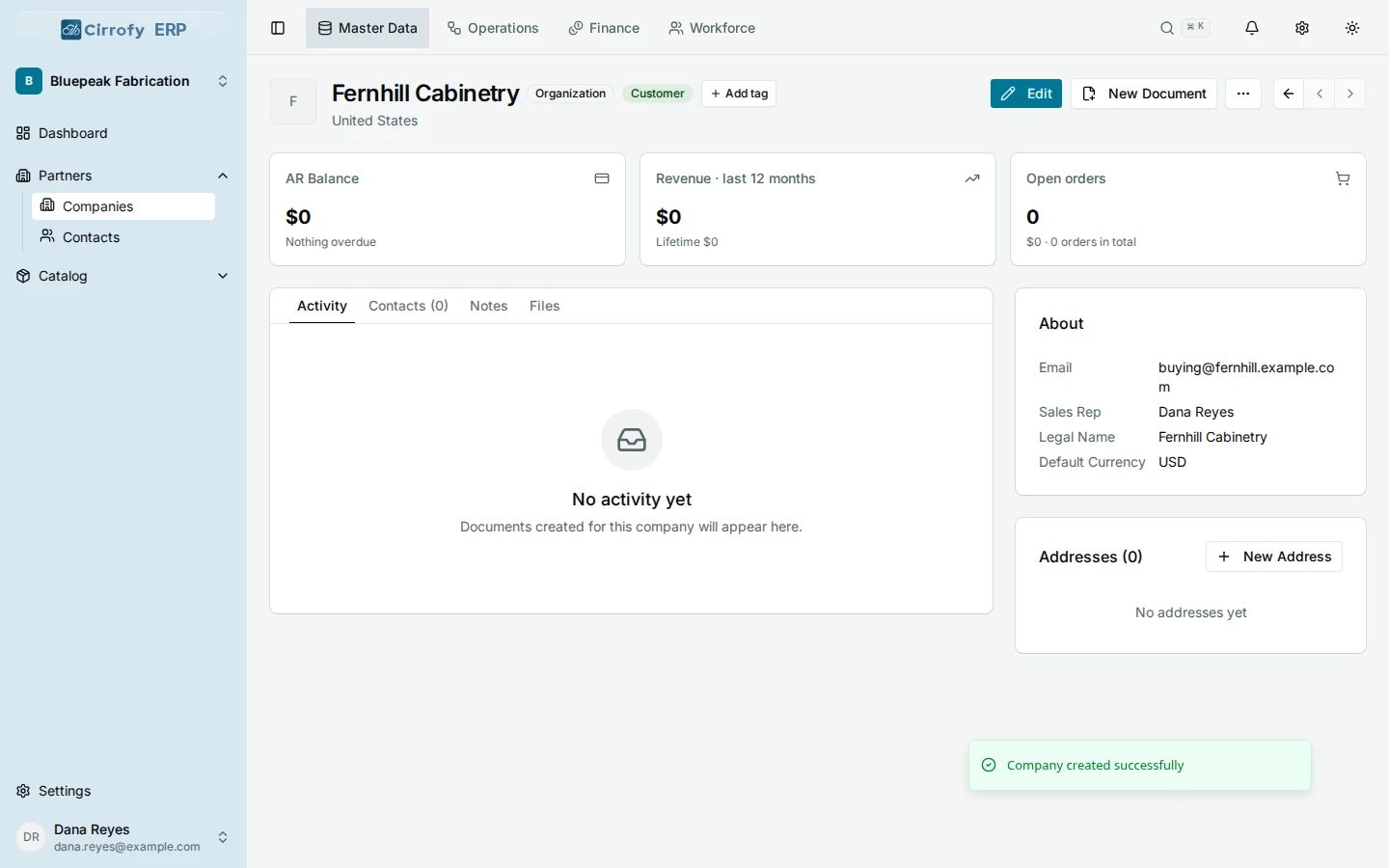
[email protected]. - Select Save and check that the company appears as a Customer.
You can add a person to the company in the next lesson. A company email is useful when you send documents to a shared mailbox.
What you’ll see
Fernhill Cabinetry appears in Companies as a customer and can be selected on a proposal.