
Add a contact to a customer
Link a person to your customer company so you can select them on a quote.
- Who can do this
- Workspace administrator or Sales Representative
- Before you start
- A saved customer company and permission to create contacts.
Steps
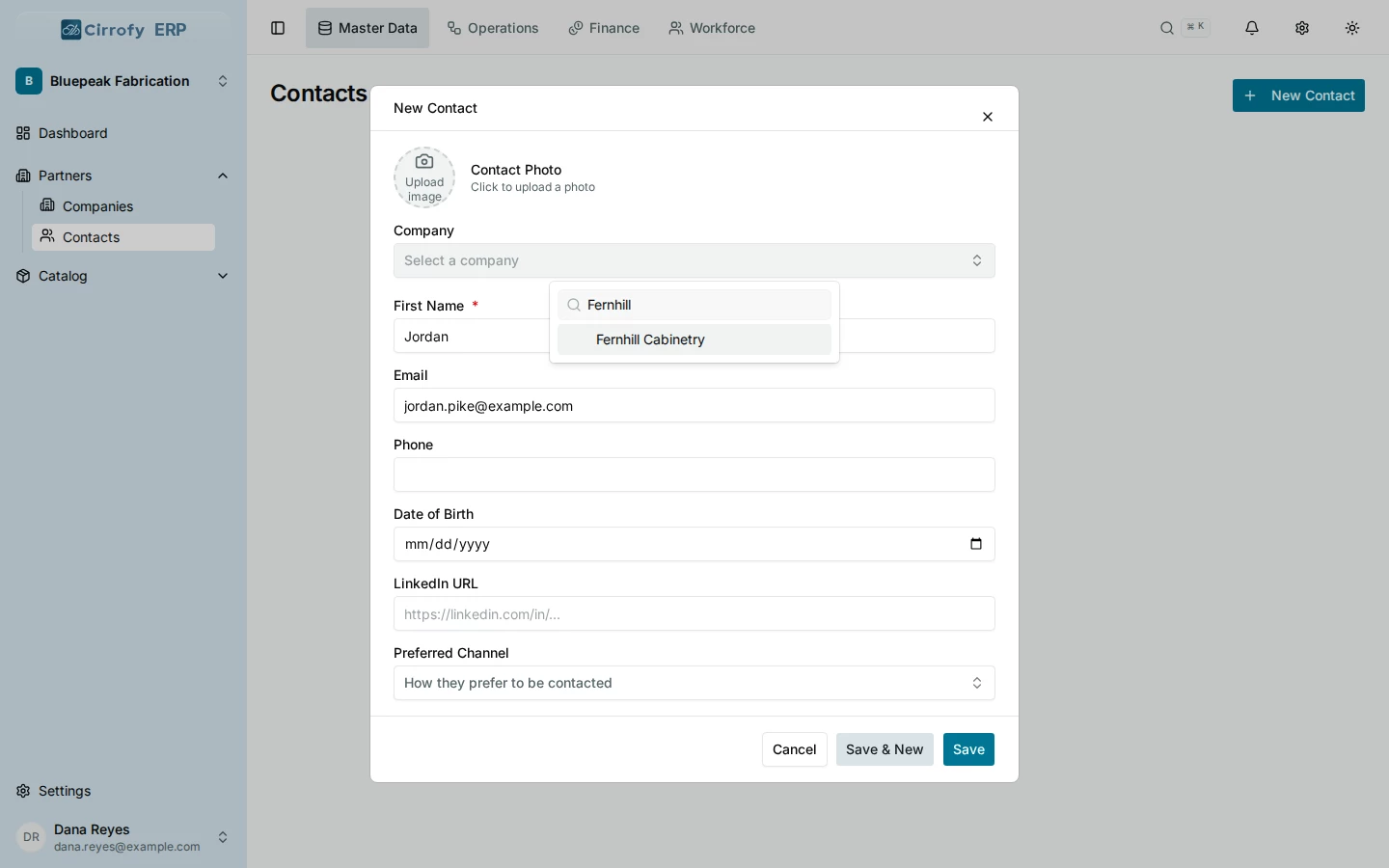
- In Master Data, open Partners → Contacts → New Contact.
- Enter Jordan as the First Name and Pike as the Last Name.
- In Company, find and select Fernhill Cabinetry. Enter
[email protected]as the contact email for this example. - Select Save.
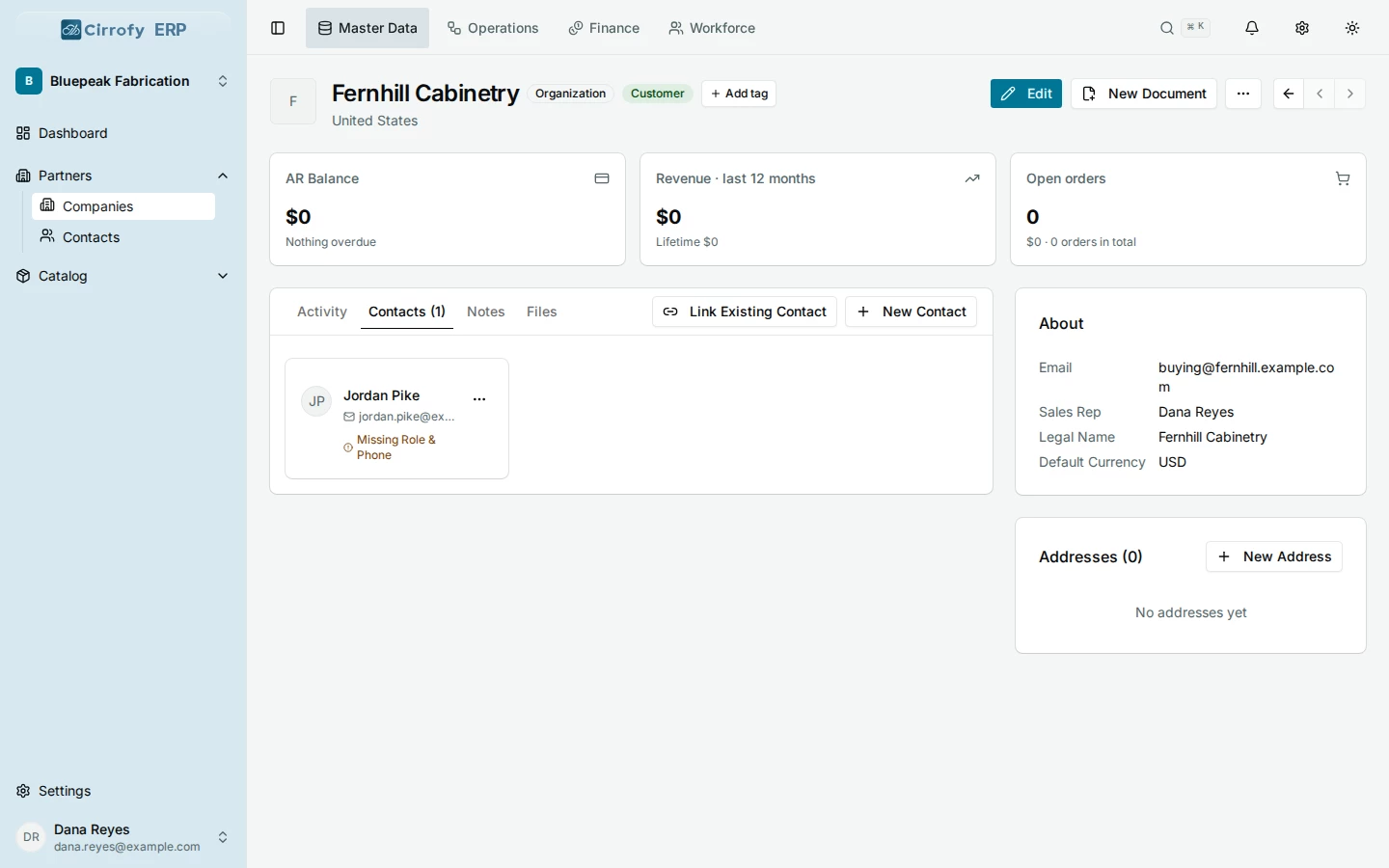
- Open Partners → Companies, select Fernhill Cabinetry, and open its Contacts tab to check that Jordan is listed.
A customer contact is a person in your partner records. To give a colleague a Cirrofy login, use the workspace invitation workflow.
What you’ll see
Jordan Pike appears on Fernhill Cabinetry’s Contacts tab and can be selected on a proposal for Fernhill.